Table of Contents
- What is Google Ads?
- How the Google Ads Auction Works
- Types of Google Ads Campaigns
- Key Terms You Must Know
- Setting Up Your First Campaign
- Bidding Strategies Explained
- Pro Tips to Avoid Wasting Budget
1. What is Google Ads?
Google Ads (formerly Google AdWords) is Google’s online advertising platform that allows businesses to display ads across Google’s search engine, YouTube, Gmail, and millions of partner websites. You only pay when someone takes a specific action — like clicking your ad.
It is the world’s largest digital advertising platform, and for good reason: when someone searches on Google, they already have intent. Unlike social media ads that interrupt people, Google Ads show up exactly when someone is actively looking for what you offer.
8.5B = searches on Google every single day
$2 = average revenue for every $1 spent on Google Ads
63% = of people have clicked a Google Ad intentionally
35% = of product searches start on Google
2. How the Google Ads Auction Works
Every time someone searches on Google, an auction happens in milliseconds. Google decides which ads to show — and in what order — based on a formula. It is not simply who bids the most money. Google rewards relevance.
Ad Rank = Your Max Bid × Quality Score × Expected Impact of Ad Extensions
What is Quality Score?
Quality Score is a 1–10 rating Google gives each keyword, based on three factors: the expected click-through rate (CTR) of your ad, the relevance of your ad to the search query, and the landing page experience after someone clicks.
A higher Quality Score means you pay less per click and rank higher. A business with a Quality Score of 8 can outrank a competitor bidding twice as much but with a score of 3. This levels the playing field for smaller advertisers.
| Quality Score | What it means | Cost impact |
|---|---|---|
| 8–10 | Excellent relevance and UX | Pay up to 50% less per click |
| 5–7 | Average — room to improve | Pay baseline market rate |
| 1–4 | Poor match or bad landing page | Pay 25–400% more per click |
3. Types of Google Ads Campaigns
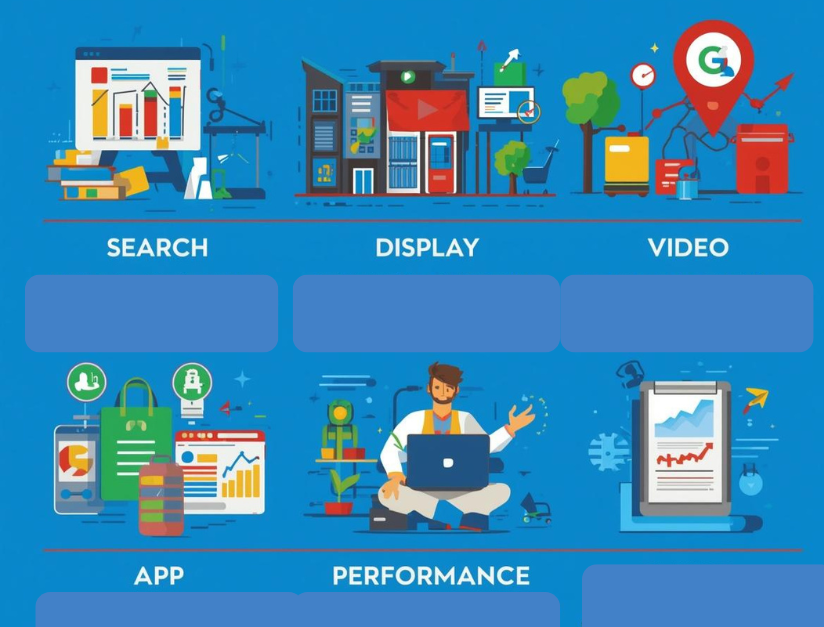
Google Ads is not one thing — it is a collection of different campaign types, each suited to a different goal. Choosing the wrong type is one of the most common mistakes beginners make.
1 Search Campaigns
Text ads that appear on Google Search results pages when users search specific keywords. Best for: capturing high-intent buyers who are actively searching for your product or service.
2 Display Campaigns
Visual banner ads shown across 35 million websites and apps in Google’s Display Network. Best for: brand awareness, remarketing, and reaching audiences who are not yet searching for you.
3 Shopping Campaigns
Product listing ads that show your product image, title, price, and store name directly in search results. Best for: e-commerce businesses selling physical products.
4 Video Campaigns
Ads served on YouTube and across the web. Can be skippable (after 5 seconds) or non-skippable. Best for: storytelling, product demos, and reaching large audiences affordably.
5 Performance Max (PMax)
Google’s AI-driven campaign type that runs across all Google channels simultaneously — Search, Display, YouTube, Gmail, and Maps. Best for: advertisers with conversion data who want Google’s automation to find the best results.
4. Key Terms You Must Know
| Term | What it means |
|---|---|
| CPC — Cost Per Click | The amount you pay each time someone clicks your ad. |
| CPM — Cost Per Thousand Impressions | What you pay for every 1,000 times your ad is displayed (used in Display and Video). |
| CTR — Click-Through Rate | Clicks ÷ Impressions × 100. Measures how compelling your ad is. |
| Conversion | A desired action taken by a user — a purchase, form fill, call, or app download. |
| ROAS — Return on Ad Spend | Revenue generated for every ₹1 spent. A ROAS of 4 means ₹4 revenue per ₹1 spent. |
| Impression Share | The % of auctions where your ad was shown vs. how often it was eligible to show. |
| Negative Keywords | Keywords you exclude so your ad does not show for irrelevant searches. |
| Ad Extension | Extra information added to your ad — phone number, site links, callouts — that increases ad size and CTR. |

5. Setting Up Your First Campaign — Step by Step
1 Define your goal
Are you trying to get sales, generate leads, drive website traffic, or build brand awareness? Your goal determines which campaign type and bidding strategy to use.
2 Install Google conversion tracking
Before spending any money, set up conversion tracking via Google Tag Manager or the Google Ads tag. Without this, you are flying blind — you will have no idea which keywords or ads actually produce results.
3 Do keyword research
Use Google Keyword Planner to find keywords your customers actually search. Focus on intent: “buy running shoes online” shows more purchase intent than “running shoes”. Start with 15–20 tightly related keywords per ad group.
4 Write compelling ad copy
Use Responsive Search Ads (RSAs) — provide up to 15 headlines and 4 descriptions. Google tests combinations automatically. Always include your main keyword in at least one headline and a clear call to action.
5 Build a dedicated landing page
Never send ad traffic to your homepage. Create a specific landing page that matches the ad’s message exactly. A mismatch between ad copy and landing page is the number one reason Quality Scores suffer.
6 Set your budget and launch
Start with a daily budget of at least ₹500–₹1,000 for 30 days to gather enough data for optimization. Set to manual CPC bidding initially so you control costs while learning.
6. Bidding Strategies Explained
Your bidding strategy tells Google how to spend your budget. The right choice depends heavily on how much conversion data you have.
| Strategy | How it works | Best when |
|---|---|---|
| Manual CPC | You set bids for each keyword manually | You are just starting out and want control |
| Enhanced CPC | Google adjusts your manual bids up or down to improve conversions | You have some conversion data and want partial automation |
| Maximize Clicks | Google automatically sets bids to get the most clicks within your budget | You want traffic volume, not conversions (awareness phase) |
| Target CPA | Google aims to get conversions at your specified cost per acquisition | You have 30+ conversions/month and a clear target cost |
| Target ROAS | Google bids to hit a specific return on ad spend | E-commerce with strong revenue tracking and 50+ conversions/month |
| Maximize Conversions | Google spends your full budget to get as many conversions as possible | You have conversion tracking set up and trust Google’s AI |
Important: Smart bidding strategies (Target CPA, Target ROAS, Maximize Conversions) need data to work well. If you switch to these strategies too early — before collecting at least 30–50 conversions — Google’s algorithm will not have enough signal and performance will suffer. Start manual, then graduate to smart bidding.
7. Pro Tips to Avoid Wasting Your Budget
Use exact match + phrase match keywords
Broad match keywords in new campaigns burn budget fast on irrelevant searches. Start with phrase match and exact match to stay in control.
Build a negative keyword list immediately
Add irrelevant terms like “free”, “jobs”, “DIY”, or competitor names you don’t want to target. Review your Search Terms Report weekly.
Use ad scheduling
Check your conversion data by hour and day. Reduce bids or pause ads during times your customers are not converting to avoid wasting budget overnight.
Target locations precisely
Set your location targeting to “People IN my targeted location” — not “People who show interest in my location.” The default setting wastes budget on people outside your area.
Add all available extensions
Sitelinks, callouts, structured snippets, and call extensions are free to add and increase your ad’s visibility and CTR significantly with no extra cost per click.
Check the Auction Insights report
See exactly which competitors are bidding on the same keywords as you, their impression share, and overlap rate. Use this to adjust your strategy accordingly.
Key Takeaway
Google Ads rewards relevance over raw spending power. The advertisers who win are not the ones with the biggest budgets — they are the ones who deeply understand their customer’s intent, write ads that match exactly what people are searching for, and send them to landing pages that deliver on that promise.
Start small, track everything, learn from your data, and scale what works. Google Ads is not a “set it and forget it” channel — it rewards attention and iteration.
FAQS
Google Ads is Google’s paid advertising platform that lets businesses show ads across Google Search, YouTube, Gmail, and millions of partner websites. It works through a real-time auction — every time a user searches, Google runs an instant auction to decide which ads appear and in what order. Your ad’s position is determined not just by your bid, but by your Quality Score, which measures ad relevance, expected click-through rate, and landing page experience.
There is no minimum budget required to start Google Ads. However, for meaningful data collection, a daily budget of ₹500–₹1,500 (or $10–$20 USD) is recommended for at least 30 days. Your actual cost per click varies by industry and competition.
Quality Score is a 1–10 rating Google assigns to each keyword. It is based on expected click-through rate, ad relevance, and landing page experience. A higher Quality Score means you pay less per click and can outrank competitors who bid more but have lower relevance.
Search ads appear as text on Google’s results page when someone actively searches a keyword — they capture existing demand. Display ads are visual banners shown across millions of websites to people not actively searching, making them better for awareness and remarketing.
Manual CPC is the safest starting point as it gives you full control. Once you have collected 30–50 conversions in 30 days, you can switch to smart bidding like Target CPA or Maximize Conversions.
Negative keywords are search terms you exclude from triggering your ads. Without them, your budget gets wasted on irrelevant clicks. Review your Search Terms Report weekly and add irrelevant terms as negatives regularly.