Launching your first mobile app can feel overwhelming, especially if you’re new to app development. From idea validation to publishing on the App Store or Play Store, every step matters. This guide breaks the entire process into simple, practical steps so you can move from idea to launch with clarity and confidence.
Step 1: Validate Your App Idea
Before writing a single line of code, make sure your app solves a real problem.
What to do:
- Identify a specific problem your target users face
- Research existing apps in the same category
- Read user reviews to find gaps and pain points
- Talk to potential users or run a small survey
Tip: If people are already paying for similar apps, it’s a good sign.

Step 2: Define Your App’s Core Features
Avoid trying to build everything at once. Focus on a Minimum Viable Product (MVP).
Ask yourself:
- What is the main purpose of the app?
- Which features are essential for first launch?
- What can be added later as updates?
Example MVP features:
- User login/signup
- Core functionality (booking, tracking, messaging, etc.)
- Basic notifications
- Simple settings
Step 3: Choose the Right Platform (Android, iOS, or Both)
Your platform choice depends on your audience and budget.
- Android: Larger user base, especially in India
- iOS: Higher-paying users, strict quality standards
- Cross-platform: One codebase for both platforms (cost-effective)
Tip: Start with one platform, validate traction, then expand.
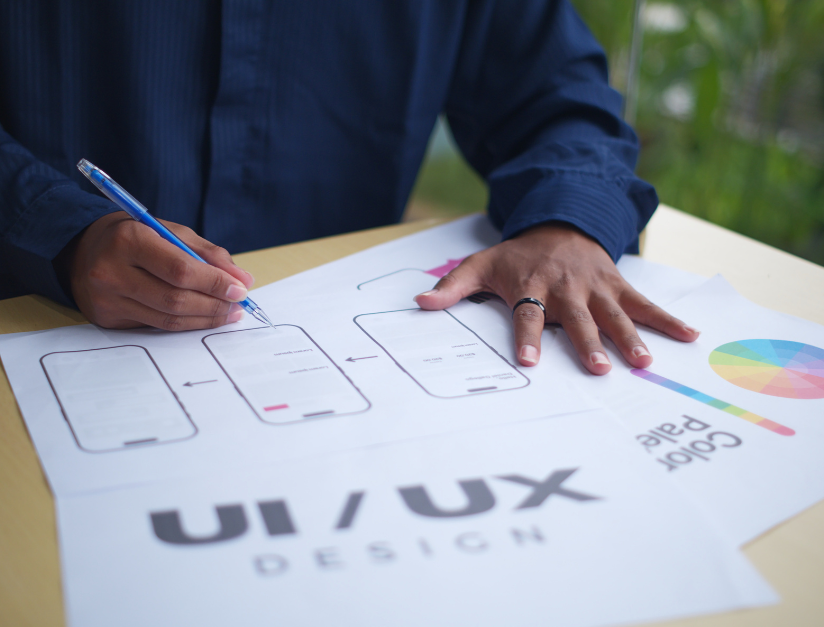
Step 4: Plan UI/UX Design
Good design is not about looks alone—it’s about usability.
Design essentials:
- Simple navigation
- Clear buttons and CTAs
- Consistent colors and fonts
- Fast loading screens
Create wireframes first, then move to visual design. Always design with the end user in mind.

Step 5: Choose the Right Development Approach
There are three common ways to build your app:
- Native Development – Best performance, higher cost
- Cross-Platform Development – Faster and budget-friendly
- No-Code / Low-Code Tools – Suitable for simple apps
If you’re a business owner, working with a professional development team often saves time and avoids costly mistakes.

Step 6: Start App Development
Now the actual building begins.
Development includes:
- Frontend (what users see)
- Backend (database, APIs, logic)
- User authentication
- Payment gateways (if required)
- Security implementation
Ensure regular testing during development to catch issues early.
Step 7: Test Your App Thoroughly
Testing is critical before launch.
Types of testing:
- Functional testing
- UI/UX testing
- Performance testing
- Security testing
- Device compatibility testing
Tip: Test on real devices, not just emulators.
Step 8: Prepare for App Store Submission
Each app store has its own guidelines.
You’ll need:
- App name and description
- App icon and screenshots
- Privacy policy
- Keywords for app store optimization (ASO)
Make sure your app follows all policies to avoid rejection.

Step 9: Launch and Promote Your App
Publishing the app is just the beginning.
Promotion strategies:
- Social media announcements
- Email marketing to existing users
- App Store Optimization (ASO)
- Influencer or referral marketing
- Paid ads (if budget allows)
Early visibility helps you gain initial users and reviews.

Step 10: Monitor, Improve, and Scale
After launch, track performance and user behavior.
Key metrics to monitor:
- App downloads
- Active users
- Retention rate
- Crash reports
- User feedback and reviews
Use this data to fix issues, add features, and improve user experience.
Final Thoughts
Launching your first mobile app is a journey, not a one-time task. Success comes from planning, testing, listening to users, and continuous improvement. By following this step-by-step approach, you reduce risks and increase your chances of building an app users actually love.

Frequently Asked Questions (FAQs): Launching Your First Mobile App
1. How long does it take to launch a mobile app?
The timeline depends on app complexity. A simple MVP can take 6–10 weeks, while feature-rich apps may take 3–6 months including design, development, and testing.
2. How much does it cost to build a mobile app?
App development costs vary based on features, platform, and design. A basic app may start from a low five-figure range, while advanced apps with integrations and custom features cost more.
3. Should I build an Android app or an iOS app first?
If your target audience is in India or emerging markets, Android is usually the best starting point. If you’re targeting premium users or global markets, iOS can be a good first choice.
4. Do I need technical knowledge to launch a mobile app?
No. You can work with a professional app development team or use no-code/low-code platforms. Clear requirements and goals are more important than technical skills.
5. What is an MVP, and why is it important?
An MVP (Minimum Viable Product) includes only essential features. It helps you launch faster, reduce costs, and gather real user feedback before adding advanced features.
6. How do I protect my app idea from being copied?
While ideas can’t be copyrighted, you can protect your app by:
- Signing an NDA with developers
- Registering your brand and app name
- Focusing on strong execution and continuous improvement
7. What are the common reasons apps get rejected by app stores?
Common reasons include:
- Bugs or crashes
- Poor user experience
- Missing privacy policy
- Violating app store guidelines
Careful testing and guideline compliance reduce rejection risks.
8. Is app marketing necessary after launch?
Yes. Without marketing, even a great app may fail. ASO, social media, email marketing, and paid ads help increase visibility and downloads.
9. How do I get my first 1,000 app users?
You can get early users by:
- Promoting on social media
- Offering referral rewards
- Running limited-time offers
- Asking early users for reviews
10. What should I do after launching my app?
After launch, focus on:
- Monitoring user feedback
- Fixing bugs quickly
- Improving performance
- Adding new features based on user needs