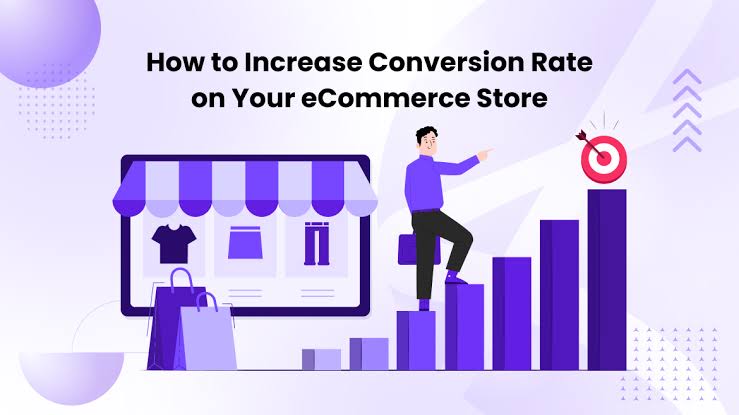
Launching an eCommerce website is only the first step toward building a successful online business. Attracting visitors is important, but those visitors also need to find the right products, understand their benefits, trust the store, and complete their purchases.
Many online stores struggle because potential customers leave before placing an order. The reasons may include slow page loading, confusing navigation, incomplete product information, unexpected shipping costs, or a complicated checkout process.
The good news is that businesses can often improve their results by making targeted changes to the shopping experience.
In this guide, we will explore practical strategies for increasing eCommerce sales and improving conversion rates on platforms such as Shopify and WooCommerce.
What Is an eCommerce Conversion Rate?
An eCommerce conversion rate measures the percentage of website visitors who complete a defined action, usually a purchase.
For example, if an online store receives 5,000 visits in a month and generates 100 orders, its visit-based purchase conversion rate is 2%.
The formula is:
Conversion Rate = (Number of Conversions ÷ Number of Visitors) × 100
Businesses should define their measurement method carefully because some analytics platforms calculate conversions using sessions, users, or other criteria.
Conversion rate is useful, but it should not be considered in isolation. Average order value, profit margin, customer acquisition cost, return rate, and repeat purchases also influence business performance.
1. Improve Your Product Pages
Product pages are among the most important parts of an online store. Customers use them to evaluate products and decide whether they are worth purchasing.
A strong product page should answer the customer’s most important questions without requiring unnecessary effort.
Include clear product titles, detailed descriptions, high-quality images, accurate pricing, available variants, and relevant specifications.
For physical products, show important details such as dimensions, materials, compatibility, care instructions, and what is included in the package.
Use multiple images where helpful, including close-up views and examples of the product in use.
Descriptions should focus on real customer benefits rather than simply listing features. For example, instead of saying only that a bag has several compartments, explain how those compartments help customers organize their belongings.
Keep the purchase button easy to find, particularly on mobile devices.
2. Make Your Website Faster
Website performance can affect how easily customers browse products and complete purchases.
If pages take too long to load, visitors may become frustrated or leave before viewing the available products.
Start by testing important pages with performance tools. Review the homepage, collection pages, product pages, cart, and checkout where applicable.
Useful improvements may include compressing images, removing unnecessary scripts, reducing excessive animations, improving caching where supported, and choosing suitable hosting.
For Shopify, review theme customizations and installed apps. For WooCommerce, investigate plugins, server resources, database performance, and caching configuration.
Always test essential features after optimization. A faster page is not useful if product filters, shopping carts, or payment processes stop working correctly.
3. Simplify Website Navigation
Customers should be able to find products without searching through confusing menus.
Organize products into logical categories and use clear navigation labels. Avoid creating too many overlapping categories that make browsing difficult.
For stores with large catalogs, filters can help customers narrow results by price, brand, size, color, availability, or other relevant attributes.
A search function can also improve product discovery, especially when customers already know what they want.
Review your store from the perspective of a first-time visitor. Can someone quickly locate a product, understand its options, and add it to the cart?
Improving these basic interactions can make the shopping experience more convenient.
4. Build Trust With Customers
Online shoppers need confidence that a store is legitimate and that their orders will be handled appropriately.
Your website should provide clear contact information, shipping policies, return and refund policies, privacy information, and terms of service.
Use secure payment integrations and display accurate information about available payment methods.
Customer reviews can help visitors understand other buyers’ experiences. However, reviews and testimonials should be genuine and presented honestly.
If you sell branded products, provide accurate product details and avoid misleading claims.
Trust also depends on consistency. Ensure that prices, delivery estimates, discounts, and product descriptions match the information customers receive during checkout.
5. Simplify the Checkout Process
A complicated checkout process can cause customers to abandon their carts.
Ask only for information that is necessary to process the order. Avoid forcing customers to create an account when guest checkout is practical for your business.
Display shipping costs, taxes where available, and other relevant charges as early as reasonably possible.
Make form fields easy to complete on mobile devices and provide helpful validation messages when customers enter incorrect information.
Offer payment methods appropriate for your target market and configure payment gateways carefully.
Before launching changes, test the entire purchase journey, including successful payments, failed payments, order confirmation emails, and order status updates.
Checkout functionality should be reliable before you invest heavily in advertising.
6. Optimize Your Store for Mobile Devices
A significant portion of online shopping takes place on smartphones, making mobile usability essential.
Test your store on different screen sizes. Product images should display correctly, text should remain readable, and buttons should be easy to tap.
Avoid popups that cover the entire screen or make it difficult to close a message.
Check whether menus, filters, variant selectors, and cart controls work smoothly on touchscreens.
Pay special attention to the mobile checkout experience. Long forms, tiny buttons, and unclear error messages can make purchasing unnecessarily difficult.
A responsive theme provides a useful foundation, but individual sections and customizations still require testing.
7. Use Relevant Offers and Upselling
Promotions can encourage customers to complete purchases or increase the value of their orders.
Examples include free shipping above a specified order value, product bundles, volume discounts, and complementary product recommendations.
For instance, an electronics store might recommend a compatible accessory on a product page.
However, promotions should be based on sensible business calculations. A discount that increases sales but eliminates profit may not benefit the business.
Clearly communicate offer conditions, minimum order values, expiration dates, and exclusions.
Avoid artificial countdown timers or misleading scarcity messages. Transparent promotions help build long-term customer trust.
8. Recover Abandoned Carts
Some customers add products to their carts but leave without completing the purchase.
Abandoned cart recovery can help bring some of these shoppers back.
Depending on your platform and customer consent, you may use automated email reminders, approved messaging integrations, or advertising remarketing.
A reminder might link directly to the customer’s cart and provide support information if the customer experienced a problem.
Before sending marketing messages, follow applicable consent, privacy, and communication rules.
Measure the results of your recovery campaigns and avoid sending excessive reminders that may frustrate customers.
9. Use Analytics to Identify Problems
Website analytics can reveal where customers leave the shopping journey.
Monitor product views, add-to-cart activity, checkout initiation, completed purchases, traffic sources, and device categories.
For example, if a large number of visitors view a product but few add it to their carts, review the product description, price, images, delivery information, and available variants.
If customers frequently add products to their carts but do not purchase them, investigate shipping costs, payment availability, checkout usability, and technical errors.
Use these findings to develop specific improvement ideas instead of making random design changes.
10. Test Changes Before Making Them Permanent
Conversion rate optimization involves improving the shopping experience through evidence-based changes.
You might test different product page layouts, clearer purchase buttons, simplified navigation, or alternative ways of presenting delivery information.
Where sufficient traffic is available, controlled A/B testing can help compare alternatives. Otherwise, use usability testing and carefully monitored before-and-after measurements.
Avoid changing many major elements simultaneously if you want to understand which change affected performance.
Also consider seasonality, traffic quality, advertising campaigns, and stock availability when evaluating results.
How Mag Cloud Solutions Can Help
At Mag Cloud Solutions, we help businesses build and optimize eCommerce websites designed around customer needs.
Our services include Shopify store development, WooCommerce development, custom WordPress solutions, payment gateway integration, performance optimization, and tailored eCommerce functionality.
Whether you are launching a new online store or improving an existing one, we can help review your requirements and identify practical opportunities to improve usability and the shopping experience.
Conclusion
Increasing eCommerce sales requires more than driving additional traffic to your website. Customers need clear product information, convenient navigation, fast-loading pages, secure payment options, and a checkout process they can trust.
Start by identifying the biggest barriers in your current shopping journey. Use analytics to investigate those problems, make focused improvements, and measure the results.
Consistent optimization can help create a better customer experience and support sustainable online business growth.
Planning to launch or improve your online store? Contact Mag Cloud Solutions today.
- Phone: +91 9536899899
- Email: sales@magcloudsolutions.com
- Website: https://magcloudsolutions.com/