Google Maps has become one of the most powerful lead generation platforms for local businesses. When people search for services like “digital marketing agency near me” or “SEO company in Hyderabad,” they are already in decision mode. Appearing in those results can bring high-intent leads without paid ads.
For service-based companies and agencies such as Mag Cloud Solutions, Google Maps is not just a visibility tool—it is a direct source of enquiries, calls and conversions.
This guide explains how to optimise your presence and get more leads from Google Maps in 2026.
Why Google Maps is important for lead generation
Google Maps shows businesses when users have local intent. These users are not browsing casually—they are actively looking for a provider.
Google Maps listings display:
- business name
- reviews and ratings
- phone number
- website
- directions
- services
This makes it easy for users to contact you immediately.
Higher visibility in Maps = higher enquiries.
Step 1: Fully optimize your Google Business Profile
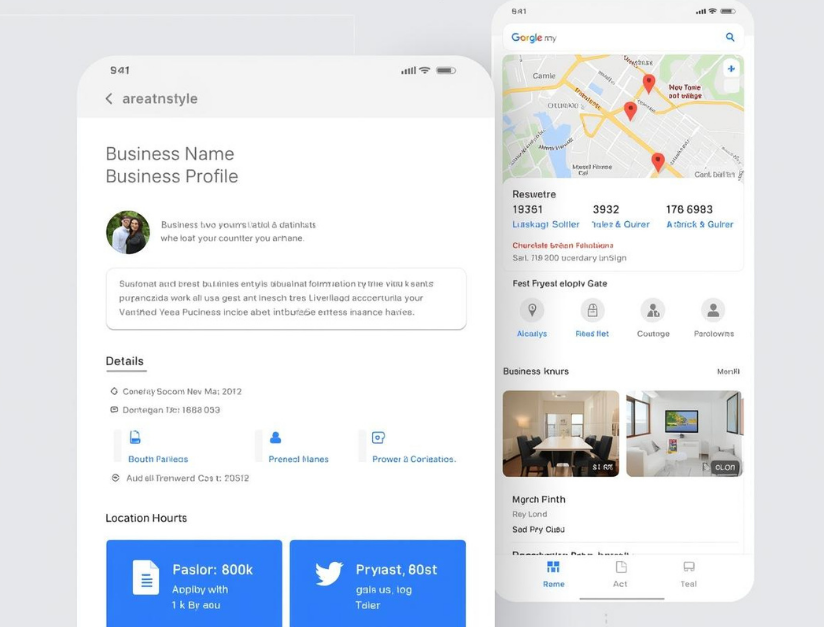
Your Google Business Profile is the foundation of Maps visibility.
Make sure you complete every important detail:
- correct business name
- accurate phone number
- website link
- business category
- business description
- services list
- opening hours
An incomplete profile reduces trust and visibility.
A complete profile increases lead potential.
Step 2: Choose the right primary and secondary categories
Your primary category is one of the strongest ranking factors.
For example:
- Digital Marketing Agency
- SEO Agency
- Marketing Consultant
Also add relevant secondary categories to expand visibility.
This helps Google understand what services you offer.

Step 3: Collect high-quality customer reviews
Reviews are one of the biggest factors in Google Maps lead generation.
Businesses with:
- higher ratings
- more reviews
- and recent reviews
receive more clicks and calls.
Encourage satisfied clients to leave honest feedback.
Always reply to reviews professionally.
This improves trust and engagement.
Step 4: Add real photos and update regularly
Profiles with real photos perform better.
Add:
- office photos
- team photos
- working environment
- service-related images
This builds credibility.
Active profiles attract more attention.
Step 5: Add services and detailed descriptions
Clearly list your services inside your profile.
Example:
- SEO services
- Google Ads management
- website optimisation
- AI SEO services
Each service should include a short explanation.
This helps Google match your business to relevant searches.
Step 6: Post regularly on your Google Business Profile
Google allows you to publish updates.
You can post:
- service updates
- blog links
- announcements
- offers
Active profiles signal business activity.
This improves visibility and engagement.
Step 7: Optimize your website for local SEO
Your website supports your Maps ranking.
Make sure your website includes:
- your business location
- service pages
- contact page
- local keywords
Google connects your website and Maps profile.
A strong website increases trust.
Step 8: Maintain consistent business information everywhere
Your business name, address and phone number should be consistent across:
- website
- Google profile
- directories
- social media
Consistency improves local trust signals.
Inconsistent information reduces credibility.
Step 9: Improve engagement signals
Google tracks user interaction signals such as:
- profile clicks
- direction requests
- phone calls
- website visits
Better engagement improves ranking.
Higher ranking increases leads.
Step 10: Build trust and authority
Google prefers businesses that look reliable.
You can improve trust by:
- maintaining active profile
- updating information
- adding real photos
- publishing useful website content
Authority improves long-term visibility.
How Google AI is influencing Google Maps leads
With AI integration by Google, search results are becoming more intelligent.
Google now evaluates:
- business credibility
- content authority
- review quality
- website clarity
Businesses with strong overall presence get more visibility.
Common mistakes that reduce Google Maps leads
Avoid these mistakes:
- incomplete profile
- wrong category selection
- no reviews
- outdated information
- no website
- inactive profile
These reduce trust and ranking.
Real impact of Google Maps optimization
When your Google Maps listing is optimised properly, you can get:
- more phone calls
- more enquiries
- more website visits
- more local clients
without paid ads.
Final takeaway
Google Maps is one of the easiest and most powerful ways to generate local leads.
Businesses that:
- optimise their profile
- collect reviews
- maintain activity
- and build trust
consistently generate more enquiries.
In 2026, Google Maps is not optional.
It is a core lead generation channel.
FAQS
You can get more leads from Google Maps by optimising your Google Business Profile, collecting customer reviews, adding services, posting updates and maintaining accurate business information.
Google Maps shows your business to users searching for nearby services, which helps generate high-intent leads, calls and enquiries.
Yes, businesses with more positive and recent reviews attract more clicks, calls and enquiries because reviews improve trust and ranking.
A fully optimised Google Business Profile improves your visibility in local search results and makes it easier for customers to contact your business.
It depends on your competition, profile optimisation and review activity. Many businesses start seeing results within a few weeks of proper optimisation.
Yes, a well-optimised website improves business credibility and helps Google connect your profile with relevant local searches.
The most important factors include reviews, business category, profile completeness, proximity and overall business credibility.
Google Maps and SEO work together. Google Maps brings local leads quickly, while SEO builds long-term visibility and authority.