WordPress has evolved significantly over the years. What started primarily as a blogging platform has become a powerful content management system used for business websites, online stores, portfolios, magazines, membership platforms, and many other digital experiences.
One of the biggest changes in modern WordPress is the way websites are created and managed.
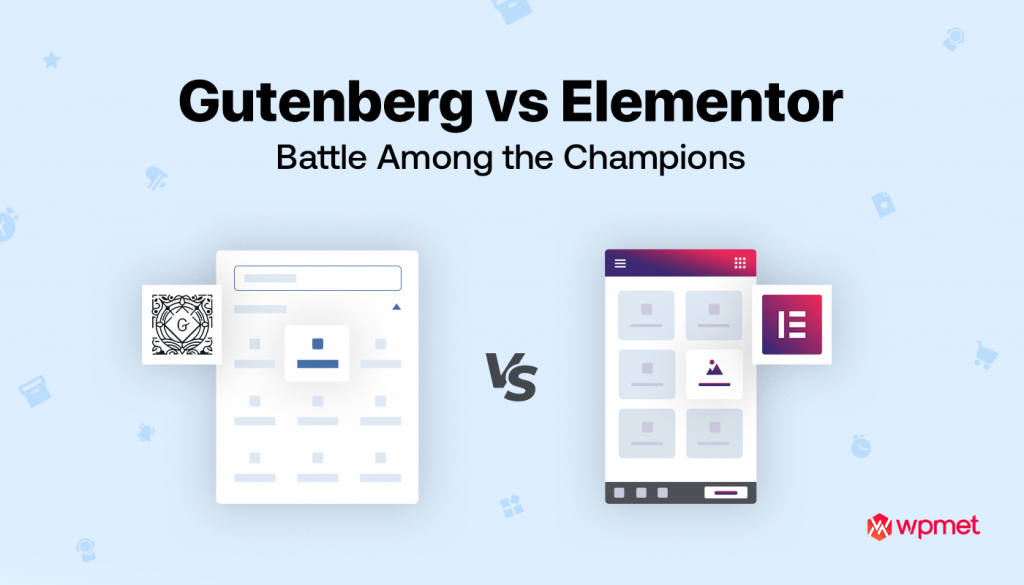
Today, website owners commonly choose between Gutenberg, WordPress’s built-in block editor, and Elementor, a popular visual page builder.
Both tools can be used to create professional WordPress websites, but they work in very different ways.
Gutenberg focuses on WordPress’s native block-based editing system, while Elementor provides a visual drag-and-drop environment with extensive design controls.
So, which one should your business choose?
The answer depends on your website requirements, design expectations, technical knowledge, performance goals, and future plans.
In this guide, we compare Elementor and Gutenberg to help you make the right decision.
What Is Gutenberg?
Gutenberg is the default editing experience built into modern WordPress.
Instead of creating content inside one large text editor, Gutenberg divides content into individual blocks.
For example, a page can contain separate blocks for:
- Paragraphs
- Headings
- Images
- Videos
- Buttons
- Columns
- Galleries
- Lists
- Quotes
- Tables
- Embeds
This block-based approach allows users to construct pages using individual content components.
Gutenberg has also evolved beyond basic blogging and can work with WordPress’s broader site editing capabilities.
For businesses that prefer native WordPress functionality, Gutenberg can be a strong option.
What Is Elementor?
Elementor is a visual website builder that allows users to design WordPress pages through a drag-and-drop interface.
Instead of switching repeatedly between an editor and a preview, users can visually construct a page and immediately see the design.
Elementor provides controls for:
- Typography
- Colors
- Spacing
- Backgrounds
- Borders
- Responsive layouts
- Buttons
- Containers
- Images
- Forms
- Popups
- Templates
Elementor Pro adds additional functionality that can be useful for professional business websites and advanced WordPress projects.
Elementor vs Gutenberg: The Main Difference
The biggest difference is the design philosophy.
Gutenberg is WordPress-native and block-based.
Elementor is a visual page-building system focused heavily on design control.
Gutenberg is closely integrated with WordPress itself, while Elementor creates an additional visual layer for designing pages.
Neither approach is automatically better for every project.
The better choice depends on what you are trying to build.
Ease of Use
Gutenberg
Gutenberg is relatively straightforward for users who are already familiar with WordPress.
Adding content is simple:
- Add a block.
- Select the required block type.
- Enter your content.
- Adjust available settings.
- Publish the page.
For blogs and content-heavy websites, this workflow can be efficient.
Elementor
Elementor provides a more visual experience.
Users can drag elements onto a page, reposition them, adjust spacing, change typography, and preview the design immediately.
This can be especially useful for users who want greater visual control without writing CSS for every design change.
Winner: Elementor for visual design
For users focused heavily on page layout and visual customization, Elementor generally provides a more intuitive design experience.
Design Flexibility
Design flexibility is one of Elementor’s biggest strengths.
With Elementor, developers and designers can control many aspects of a page, including:
- Container widths
- Padding
- Margins
- Typography
- Button styles
- Backgrounds
- Responsive behavior
- Section spacing
- Image positioning
- Advanced layouts
This allows developers to recreate custom website designs more easily.
Gutenberg has become increasingly flexible, particularly with modern block themes and patterns, but Elementor still provides a highly visual design workflow.
Winner: Elementor
For businesses requiring highly customized landing pages and marketing-focused layouts, Elementor can be particularly useful.
Website Performance
Performance is an important consideration when choosing any WordPress builder.
Every additional plugin, script, widget, font, animation, and design element can affect the amount of code a website needs to load.
Gutenberg’s native integration with WordPress can make it an attractive option for businesses looking to keep their website architecture relatively simple.
Elementor can also be used to build fast websites, but developers need to use it carefully.
Good practices include:
- Avoiding unnecessary widgets
- Compressing images
- Limiting excessive animations
- Using optimized fonts
- Removing unused plugins
- Implementing caching
- Using a quality hosting environment
- Optimizing CSS and JavaScript
The important point is that the page builder alone does not determine website speed.
Poor development practices can make any WordPress website slow.
Winner: Gutenberg for simplicity
For projects where minimal architecture is a priority, Gutenberg has an advantage because it is part of WordPress itself.
Responsive Design
Modern websites must work properly across:
- Desktop
- Laptop
- Tablet
- Mobile phones
Elementor provides detailed responsive controls that allow developers to adjust layouts for different screen sizes.
Developers can control things such as:
- Font sizes
- Margins
- Padding
- Column widths
- Visibility
- Alignment
- Container behavior
Gutenberg also supports responsive layouts, particularly when using modern WordPress themes and blocks.
However, Elementor can provide more granular visual controls for designers.
Winner: Elementor
For highly customized responsive layouts, Elementor offers extensive controls.
Templates and Reusable Design
Both platforms support reusable content and design patterns.
Gutenberg provides reusable patterns and block-based components that can help maintain consistency across a website.
Elementor provides templates, global settings, reusable widgets, and global design controls.
For example, a business could create a consistent:
- Header
- Footer
- Call-to-action section
- Contact section
- Testimonial section
- Service card
and reuse those components across multiple pages.
Winner: Tie
Both platforms provide useful approaches to reusable design.
The better choice depends on how your website is structured.
SEO Considerations
A common question is:
Is Elementor bad for SEO?
The answer is no.
A website built with Elementor can rank well in search engines.
SEO performance depends on many factors, including:
- Content quality
- Keyword targeting
- Website structure
- Internal linking
- Page speed
- Mobile usability
- Technical SEO
- Backlinks
- Metadata
- Search intent
Similarly, using Gutenberg does not automatically guarantee high rankings.
A technically optimized website can perform well regardless of which editor is used.
The key is to build clean page structures and avoid unnecessary elements.
Content Management
For websites that publish large amounts of content, Gutenberg can be particularly convenient.
Imagine a news or magazine website publishing hundreds of articles every month.
Editors may benefit from Gutenberg because it is deeply integrated with WordPress’s standard publishing workflow.
Content writers can focus on:
- Headings
- Paragraphs
- Images
- Lists
- Quotes
- Embeds
without dealing with complex page layouts.
Winner: Gutenberg
For content-heavy websites, Gutenberg is often a natural choice.
Landing Pages and Marketing Websites
Marketing websites often require visually engaging landing pages.
A landing page may contain:
- Hero sections
- Lead forms
- Pricing tables
- Testimonials
- Feature comparisons
- Call-to-action sections
- Product showcases
- Promotional banners
Elementor is particularly useful for these types of pages because designers can visually control almost every section.
For agencies and businesses that frequently create promotional pages, Elementor can significantly speed up the design process.
Winner: Elementor
E-Commerce Websites
For WooCommerce websites, both Gutenberg and Elementor can be used.
The best choice depends on the store’s requirements.
Gutenberg works well for simpler content structures and native WordPress workflows.
Elementor can be useful when the store needs highly customized:
- Product pages
- Category layouts
- Landing pages
- Promotional sections
- Shopping experiences
For example, a fashion brand may want highly visual product landing pages, while a simple local store may not need extensive customization.
Winner: Depends on requirements
There is no universal winner for e-commerce.
Developer Perspective
From a developer’s perspective, the decision should also consider maintainability.
A website should not simply look good on launch day.
It should remain manageable months or years later.
Developers should consider:
- Code structure
- Plugin dependencies
- Update compatibility
- Reusability
- Documentation
- Client editing requirements
- Future redesigns
- Performance
A professional developer should choose the simplest architecture that can satisfy the project’s requirements.
When Should You Choose Gutenberg?
Gutenberg can be a great choice if your website is:
- Primarily content-based
- A blog
- A news website
- A magazine
- A documentation website
- A simple business website
- Focused on native WordPress functionality
- Designed around a block-based workflow
If you don’t need extensive visual customization, Gutenberg may provide everything you need.
When Should You Choose Elementor?
Elementor may be a better choice if you need:
- Highly customized page designs
- Marketing landing pages
- Visual editing
- Complex layouts
- Custom headers and footers
- Advanced responsive controls
- Design-focused business websites
- Elementor-based workflows
- Faster visual development
It can be particularly valuable for agencies and businesses that frequently update website designs and landing pages.
Can Elementor and Gutenberg Be Used Together?
Yes.
A WordPress website does not necessarily need to use only one editor.
For example, a business could use:
Elementor for marketing pages
and
Gutenberg for blog articles.
This can be a practical solution when different types of content require different editing experiences.
However, developers should establish clear content-management rules to prevent unnecessary complexity.
What About Future WordPress Development?
WordPress continues to move toward a more block-based editing and site-building experience.
This makes Gutenberg an important part of the WordPress ecosystem.
At the same time, visual builders such as Elementor continue to provide advanced design capabilities for businesses and professional developers.
Therefore, businesses should not select a tool simply because it is currently popular.
Instead, consider:
- Project requirements
- Development workflow
- Client editing experience
- Maintenance
- Performance
- Scalability
- Design requirements
Technology should support your business objectives.
Elementor vs Gutenberg: Quick Comparison
| Feature | Elementor | Gutenberg |
|---|---|---|
| Visual Editing | Excellent | Good |
| Native WordPress Integration | Moderate | Excellent |
| Design Flexibility | Excellent | Good |
| Content Editing | Excellent | Excellent |
| Responsive Controls | Excellent | Good |
| Landing Pages | Excellent | Good |
| Blogs | Excellent | Excellent |
| Performance Simplicity | Good | Excellent |
| Advanced Design | Excellent | Good |
| Learning Curve | Easy to Moderate | Easy |
| Custom Business Websites | Excellent | Good |
| Dependency | Plugin-based | WordPress-native |
Which One Should Your Business Choose?
There is no single answer.
Choose Gutenberg if your primary goal is a clean, native WordPress content experience with relatively simple design requirements.
Choose Elementor if your website depends heavily on visual design, customized layouts, landing pages, and detailed responsive controls.
For many businesses, however, the best solution may be a combination of both.
The key is to avoid adding complexity simply because a feature is available.
Final Thoughts
Elementor and Gutenberg are both powerful tools for modern WordPress development.
Gutenberg offers a native WordPress experience and is particularly suitable for content-focused websites. Elementor provides extensive visual design capabilities and can be an excellent choice for businesses that require customized layouts and marketing-focused pages.
The right choice should be based on your website’s actual requirements—not simply on which editor is more popular.
At Mag Cloud Solutions, we help businesses build professional WordPress websites using the right development approach for their goals.
Our services include WordPress development, Elementor development, WooCommerce development, custom website development, website redesign, API integration, and ongoing maintenance.
Whether you need a simple business website, an Elementor-powered corporate website, or a customized WordPress solution, our team can help you plan and develop the right platform.
Contact Mag Cloud Solutions
📞 +91 9536899899
📧 sales@magcloudsolutions.com
Build a WordPress website that is not only visually attractive, but also easy to manage, scalable, and aligned with your business goals.