A business website is no longer just an online brochure. Modern websites are used to generate leads, sell products, publish content, manage customers, collect inquiries, support marketing campaigns, and build long-term brand visibility.
Behind many successful websites is a Content Management System (CMS).
A CMS allows businesses to create, edit, organize, and publish website content without manually changing every page through code.
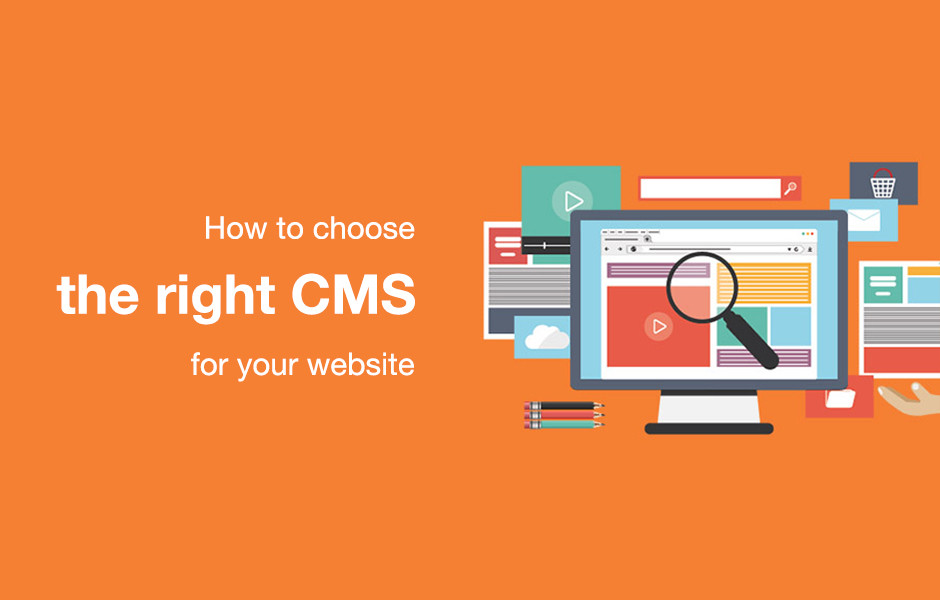
However, choosing the right CMS is an important decision. The platform you select can affect your website’s design flexibility, maintenance requirements, security, scalability, development costs, and ability to integrate with other business systems.
There are many CMS platforms available today, including WordPress, Shopify, Drupal, Joomla, and specialized enterprise solutions.
So how should a business choose?
The answer depends on what you actually need from your website.
In this guide, we explain the most important factors businesses should consider before selecting a CMS.
What Is a CMS?
A Content Management System is software that allows users to manage website content through an administrative interface.
Instead of editing website files manually, administrators can use a dashboard to manage things such as:
- Pages
- Blog posts
- Images
- Products
- Categories
- Users
- Menus
- Forms
- Media
- Website settings
This makes website management much easier for business owners and content teams.
For example, a company can publish a new blog article without asking a developer to manually create a new HTML page.
Why Is Choosing the Right CMS Important?
Changing a CMS later can be expensive and time-consuming.
A business may eventually need to migrate:
- Website content
- Images
- Products
- Customer data
- URLs
- User accounts
- SEO information
- Custom functionality
A poorly selected platform can therefore create unnecessary development costs.
The right CMS should support your current requirements while also giving your business room to grow.
Popular CMS Options
Different CMS platforms are designed for different types of businesses.
WordPress
WordPress is one of the most widely used content management systems.
It is commonly used for:
- Business websites
- Blogs
- News websites
- Corporate websites
- Portfolios
- Membership websites
- Educational websites
- WooCommerce stores
One of its biggest advantages is flexibility.
Businesses can extend WordPress using themes, plugins, custom development, and integrations.
Shopify
Shopify is primarily focused on e-commerce.
It provides businesses with tools for:
- Product management
- Shopping carts
- Checkout
- Payments
- Inventory
- Orders
- Customer management
- Storefront customization
For businesses whose primary objective is selling products online, Shopify can be an attractive option.
Drupal
Drupal is known for its flexibility and ability to handle complex content structures.
It can be suitable for:
- Large organizations
- Government websites
- Universities
- Enterprise platforms
- Complex publishing systems
However, Drupal projects often require more technical expertise than simpler CMS solutions.
Joomla
Joomla is another established CMS that can be used for business websites, portals, and content-driven platforms.
Its ecosystem is smaller than WordPress, but it can still be useful for specific projects.
Factor 1: Website Purpose
The first question should be:
What is the website supposed to accomplish?
A company website designed primarily to generate leads has different requirements from an online store.
For example:
Lead Generation Website
May need:
- Landing pages
- Contact forms
- Quote forms
- CRM integration
- Analytics
- Blog
- SEO functionality
E-commerce Website
May need:
- Product management
- Shopping cart
- Checkout
- Payments
- Inventory
- Shipping
- Tax configuration
- Customer accounts
Membership Website
May need:
- User registration
- Subscription management
- Restricted content
- Member dashboards
- Payment integration
The CMS should be selected according to the primary business purpose.
Factor 2: Ease of Content Management
A CMS should be easy for your team to use.
Consider who will manage the website after development.
Will it be:
- A business owner?
- Marketing team?
- Content writer?
- E-commerce manager?
- Multiple administrators?
If non-technical employees need to update the website regularly, the CMS should provide an intuitive editing experience.
A technically powerful platform is not useful if your team finds it difficult to manage.
Factor 3: Design Flexibility
Businesses often want their website to reflect their brand.
Look for a CMS that provides enough flexibility for:
- Layouts
- Typography
- Colors
- Navigation
- Responsive design
- Landing pages
- Custom sections
WordPress is particularly flexible because businesses can use custom themes, block-based editing, Elementor, or custom development.
Shopify also provides extensive storefront customization, although its architecture is more focused on e-commerce.
Factor 4: E-Commerce Requirements
If you are building an online store, your CMS decision should be based heavily on e-commerce functionality.
Consider whether the platform supports:
- Multiple payment gateways
- Shipping rules
- Coupons
- Inventory
- Product variations
- Customer accounts
- Taxes
- Order management
- Refunds
- Subscription products
- Third-party integrations
For a standard online store, Shopify can provide a streamlined environment.
For businesses requiring highly customized e-commerce workflows, WooCommerce with WordPress can provide significant flexibility.
Factor 5: SEO Capabilities
Search engine visibility is important for many businesses.
Your CMS should allow you to manage essential SEO elements such as:
- Page titles
- Meta descriptions
- URLs
- Headings
- XML sitemaps
- Canonical information
- Structured data
- Redirects
- Robots directives
However, remember that a CMS does not automatically make a website rank.
SEO also depends on:
- Content quality
- Search intent
- Technical optimization
- Website performance
- Internal linking
- Backlinks
- Mobile experience
- Competition
The CMS should provide the technical foundation needed for a good SEO strategy.
Factor 6: Performance
Website performance affects user experience and can influence business results.
When evaluating a CMS, consider:
- Server requirements
- Caching options
- Image optimization
- Database efficiency
- Code quality
- Plugin or app dependencies
- CDN compatibility
A CMS can be powerful but still produce a slow website if it is poorly configured.
Performance should therefore be considered at the architecture level.
Factor 7: Security
Every website platform requires security management.
A CMS should support appropriate measures such as:
- Regular updates
- Secure authentication
- Access controls
- Backups
- Monitoring
- SSL/HTTPS
- Vulnerability management
Businesses should also consider who is responsible for security.
With a self-hosted CMS such as WordPress, the website owner or development team typically has more responsibility for hosting, updates, plugins, backups, and security configuration.
Managed platforms can handle more infrastructure-related responsibilities for you.
Factor 8: Scalability
Your website today may be small, but your business may grow significantly over the next few years.
Consider whether the CMS can support:
- More products
- More visitors
- More content
- Additional users
- New integrations
- Multiple locations
- International expansion
- New business models
A CMS should not only solve today’s problem.
It should ideally support tomorrow’s requirements as well.
Factor 9: Integrations
Modern businesses rarely operate through a website alone.
Your website may need to communicate with:
- CRM software
- Accounting systems
- Email marketing platforms
- Payment gateways
- Shipping providers
- ERP systems
- Analytics platforms
- Marketing automation tools
- Mobile applications
Before selecting a CMS, check whether the required integrations are available.
If no ready-made integration exists, determine whether an API or custom development approach can solve the problem.
Factor 10: Hosting Requirements
Different CMS platforms have different hosting models.
For example, WordPress can be hosted on:
- Shared hosting
- Cloud hosting
- VPS
- Dedicated servers
- Managed WordPress hosting
Shopify is a hosted platform, meaning much of the server infrastructure is managed by the platform provider.
This difference can affect:
- Maintenance
- Server management
- Cost
- Technical responsibility
- Deployment processes
Businesses should decide how much infrastructure management they want to handle internally.
Factor 11: Total Cost of Ownership
Do not evaluate a CMS only by its initial cost.
Consider the total cost over several years.
Potential expenses include:
- Hosting
- Themes
- Plugins
- Apps
- Development
- Maintenance
- Security
- Premium extensions
- Third-party services
- Custom integrations
- Redesigns
A platform with a low initial cost may become expensive if it requires many paid extensions.
Similarly, a platform with higher initial development costs may provide better long-term value for a complex business.
Factor 12: Developer Availability
A CMS should ideally have an ecosystem that supports your business.
Before selecting a platform, consider whether qualified developers are available to:
- Build the website
- Customize functionality
- Fix issues
- Maintain the platform
- Develop integrations
- Perform upgrades
A strong developer ecosystem can make long-term maintenance easier.
WordPress has a large global ecosystem of developers, designers, agencies, themes, plugins, and service providers.
WordPress vs Shopify vs Drupal
A simple comparison can help.
| Requirement | WordPress | Shopify | Drupal |
|---|---|---|---|
| Business Websites | Excellent | Good | Excellent |
| Blogging | Excellent | Good | Excellent |
| E-commerce | Excellent with WooCommerce | Excellent | Good |
| Design Flexibility | Excellent | Very Good | Excellent |
| Ease of Use | Excellent | Excellent | Moderate |
| Custom Development | Excellent | Good | Excellent |
| Enterprise Content | Good | Limited | Excellent |
| Hosting Control | High | Limited | High |
| Plugin/App Ecosystem | Very Large | Large | Moderate |
| Best For | Flexible websites | Online stores | Complex platforms |
This table is only a starting point.
The final decision should always be based on project-specific requirements.
When Should You Choose WordPress?
WordPress is often a strong choice if you need:
- A corporate website
- A service business website
- A blog
- A magazine
- A content platform
- A membership website
- A WooCommerce store
- Custom functionality
- Flexible hosting options
- Extensive design customization
It is particularly useful when a business wants control over its website and development environment.
When Should You Choose Shopify?
Shopify can be a strong choice when your primary goal is e-commerce.
It can simplify many store-management tasks and provides an ecosystem designed around online selling.
It may be particularly suitable for businesses that want to focus on:
- Products
- Orders
- Customers
- Payments
- Inventory
- Store management
rather than managing server infrastructure.
When Should You Choose Drupal?
Drupal may be worth considering when the project involves complex content structures, advanced permissions, large organizations, or highly customized content workflows.
It is often more appropriate for projects where technical architecture and content modeling are major priorities.
Don’t Choose a CMS Just Because It Is Popular
Popularity is useful, but it should not be the deciding factor.
A platform may be extremely popular but still be unsuitable for a particular project.
Instead, ask:
Does this CMS solve our business problem efficiently?
For example, a simple five-page website does not need a highly complicated enterprise architecture.
Likewise, a large organization with complex workflows may outgrow a basic website builder.
Think About the Future
One of the most important CMS selection principles is future planning.
Ask where your business could be in three to five years.
Could you need:
- Multiple websites?
- International stores?
- Mobile applications?
- Customer portals?
- Advanced automation?
- Subscription services?
- Marketplace functionality?
- CRM integration?
Choosing a flexible architecture from the beginning can make future development easier.
CMS Selection Checklist
Before making a final decision, review these questions:
- What is the website’s primary purpose?
- Who will manage the content?
- Do we need e-commerce?
- How much design flexibility is required?
- What integrations are necessary?
- What is the expected traffic?
- How important is SEO?
- Who will manage security?
- What is the development budget?
- What is the ongoing maintenance budget?
- Will the website need to scale?
- Are experienced developers available?
- What happens if we need to migrate later?
The answers will usually make the right platform much clearer.
Why Professional CMS Planning Matters
Selecting a CMS is an architectural decision, not just a design decision.
A professional development team should analyze:
- Business goals
- User requirements
- Content structure
- Technical requirements
- Integrations
- Hosting
- Security
- SEO
- Scalability
- Maintenance
The goal should be to select a platform that provides the right balance between flexibility, simplicity, cost, and long-term growth.
Final Thoughts
Choosing the right CMS can have a major impact on the success of your website.
WordPress is an excellent choice for businesses that need flexibility and customization. Shopify is particularly strong for e-commerce businesses that want a managed store platform. Drupal can be valuable for organizations with complex content and technical requirements.
There is no single CMS that is best for every business.
The right choice depends on what you need today, what you expect tomorrow, and how much control you want over your digital platform.
At Mag Cloud Solutions, we help businesses select, develop, customize, migrate, and maintain websites using platforms such as WordPress, WooCommerce, Shopify, and other CMS technologies.
Whether you need a corporate website, e-commerce store, custom CMS solution, or a complete website redesign, our team can help you choose an architecture aligned with your business goals.
Contact Mag Cloud Solutions
📞 +91 9536899899
📧 sales@magcloudsolutions.com
Choose your CMS carefully today, and you can avoid unnecessary development costs and technical limitations tomorrow.