Introduction
Choosing the right platform is one of the most important decisions when building a new business website or online store. Two of the most popular platforms in the market today are WordPress and Shopify.
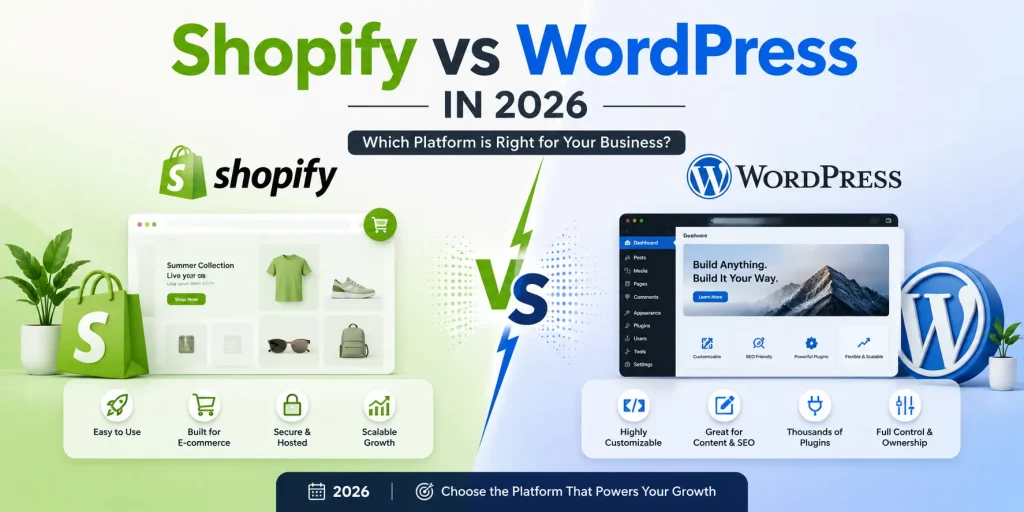
Both platforms have millions of users, but they are designed with different priorities in mind. WordPress provides extensive flexibility and customization, while Shopify focuses heavily on making e-commerce setup and management easier.
For a business owner, the question is not simply which platform is more popular. The real question is:
Which platform is better for your specific business, budget, features, and long-term goals?
In this guide, we compare WordPress and Shopify across customization, e-commerce functionality, SEO, performance, security, scalability, maintenance, costs, and ease of use.
What Is WordPress?
WordPress is one of the world’s most widely used content management systems (CMS). It can be used to create almost any type of website, including:
- Business websites
- Corporate websites
- Blogs
- News portals
- Membership websites
- Educational platforms
- Booking websites
- E-commerce stores
- Directory websites
- Custom web applications
One of WordPress’s biggest advantages is its flexibility.
Businesses can choose from thousands of themes and plugins or develop completely customized functionality according to their requirements.
For businesses that need a highly customized website, WordPress can provide considerable control over the website’s design, content, database, and functionality.
What Is Shopify?
Shopify is a hosted e-commerce platform designed primarily for businesses that want to sell products or services online.
Unlike self-hosted WordPress, Shopify handles much of the technical infrastructure behind the store.
Businesses can use Shopify to manage:
- Products
- Orders
- Customers
- Payments
- Shipping
- Discounts
- Inventory
- Storefront design
- Marketing integrations
This makes Shopify particularly attractive to businesses that want to launch an online store without managing the underlying server infrastructure themselves.
WordPress vs Shopify: The Major Difference
The fundamental difference between the two platforms is their approach.
WordPress = Flexible CMS that can be customized for almost any requirement.
Shopify = Hosted e-commerce platform focused on online selling.
This difference is important when deciding which solution is right for your business.
A company website with custom pages, blogs, services, forms, memberships, and integrations may benefit from WordPress.
A product-focused business that primarily needs an easy-to-manage online store may prefer Shopify.
1. Website Customization
WordPress provides extensive customization possibilities.
Developers can modify themes, plugins, templates, databases, APIs, and backend functionality. Businesses can also create custom WordPress themes and plugins.
With tools such as Elementor, businesses can create visually customized pages without writing every part of the frontend code manually.
Shopify also offers customization through themes, apps, Liquid templates, APIs, and custom development.
However, WordPress generally provides greater freedom when the project involves complex or highly customized website functionality.
Winner: WordPress
2. E-Commerce Features
Shopify was built specifically around e-commerce.
It provides many features required for running an online store, including product management, checkout, payments, inventory, order management, discounts, and shipping functionality.
WordPress can become a powerful e-commerce platform by using WooCommerce.
WooCommerce adds product management, shopping carts, checkout, payment gateways, shipping options, coupons, order management, and many other features.
However, WooCommerce requires additional configuration compared with Shopify’s more integrated approach.
Winner: Shopify for simplicity
Winner: WordPress + WooCommerce for flexibility
3. Design and User Experience
Design plays an important role in converting website visitors into customers.
WordPress offers thousands of themes and page-building solutions. Elementor is particularly useful for businesses that want to create customized layouts without depending entirely on developers for every design change.
Shopify also provides professional themes and customization options.
However, businesses looking for highly customized non-store pages or complex website layouts may find WordPress more flexible.
Winner: WordPress
4. SEO Capabilities
Search engine optimization is essential for businesses that depend on organic traffic.
WordPress provides extensive SEO control. Businesses can optimize:
- Page titles
- Meta descriptions
- URLs
- Heading structures
- Schema
- Internal links
- XML sitemaps
- Blog content
- Images
- Technical SEO settings
SEO plugins can also simplify many optimization tasks.
Shopify also provides useful SEO features and allows businesses to optimize important on-page elements.
However, WordPress offers greater control for businesses that want to build large content-driven websites.
Winner: WordPress
5. Performance and Website Speed
Website performance affects both user experience and search visibility.
WordPress performance depends significantly on the hosting provider, theme, plugins, database configuration, images, caching, and optimization.
A poorly optimized WordPress website can become slow, especially when too many plugins are installed.
Shopify manages the underlying hosting infrastructure, which reduces the amount of server-level optimization required from store owners.
However, Shopify stores can also experience performance issues caused by heavy themes, applications, tracking scripts, and large media files.
The important point is that neither platform automatically guarantees a fast website.
Proper optimization is required regardless of the platform.
Winner: Shopify for easier infrastructure management
6. Security
Security is another major consideration.
With WordPress, businesses are responsible for keeping WordPress core, themes, and plugins updated. Hosting configuration, backups, firewalls, and security monitoring also need attention.
Proper security practices can significantly reduce risks.
Shopify handles much of the infrastructure and platform-level security for merchants.
Store owners still need to protect accounts, passwords, applications, and customer information, but they don’t have to manage the same level of server infrastructure.
Winner: Shopify for easier security management
7. Maintenance
WordPress websites require regular maintenance.
This may include:
- WordPress updates
- Plugin updates
- Theme updates
- Security checks
- Backups
- Database optimization
- Performance monitoring
For businesses with a developer or maintenance team, this isn’t necessarily a problem.
Shopify handles many platform-level maintenance tasks automatically, allowing store owners to focus more on products and sales.
Winner: Shopify
8. Scalability
Both platforms can support growing businesses, but their strengths are different.
WordPress can scale from a simple business website to a large content platform or customized web application when properly developed and hosted.
Shopify can also support businesses as their product catalog, customers, and sales volume grow.
The best option depends on what the business is scaling.
If you’re primarily scaling an online store, Shopify can be a convenient choice.
If you’re scaling a complex digital platform with custom functionality, WordPress may provide more flexibility.
Winner: Depends on the project
9. Cost Considerations
Cost is an important factor when selecting a website platform.
With WordPress, businesses may need to consider:
- Domain
- Hosting
- Premium theme
- Plugins
- Development
- Maintenance
- Security
- Backups
The total cost can vary significantly depending on project requirements.
Shopify generally operates through subscription-based plans, with additional costs potentially coming from themes, apps, payment processing, and development.
Therefore, businesses should compare the total cost of ownership, rather than looking only at the initial platform price.
Which Platform Should You Choose?
There is no universal answer.
Choose WordPress if you need:
- A highly customized business website
- Advanced content management
- Powerful blogging capabilities
- Extensive SEO control
- Custom integrations
- Membership functionality
- Learning management features
- Custom forms and workflows
- Complex website structures
- Maximum development flexibility
Choose Shopify if you need:
- A primarily e-commerce-focused website
- Easy store management
- Hosted infrastructure
- Simple product management
- Quick store deployment
- Built-in commerce features
- Less technical maintenance
Can WordPress and Shopify Be Used Together?
Yes.
Businesses don’t always have to choose one platform for everything.
For example, a company could use WordPress for its corporate website and content marketing while using Shopify for its online store.
This approach can be useful when a business wants WordPress’s content flexibility while benefiting from Shopify’s e-commerce infrastructure.
However, combining platforms also introduces additional development and integration requirements.
Final Thoughts
WordPress and Shopify are both powerful platforms, but they solve different problems.
WordPress is ideal when flexibility, customization, content, and control are major priorities.
Shopify is ideal when e-commerce simplicity, hosted infrastructure, and easy store management are more important.
Before selecting a platform, businesses should consider their current requirements as well as their long-term plans.
The right platform is the one that supports your business goals without creating unnecessary technical or operational complexity.
At Mag Cloud Solutions, we help businesses build and improve professional digital platforms using technologies such as WordPress, Elementor, WooCommerce, Shopify, and other modern CMS solutions.
Whether you need a business website, customized WordPress development, Elementor design, WooCommerce store, Shopify development, or CMS-based solution, choosing the right technology is the first step toward building a scalable online presence.
Mag Cloud Solutions
📞 +91 9536899899
📧 sales@magcloudsolutions.com