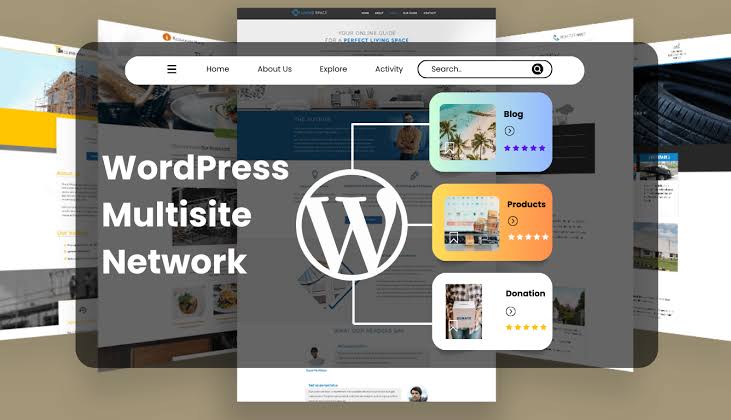
Managing one business website is relatively straightforward. But what happens when a company needs to manage multiple websites for different locations, departments, brands, products, or regions?
Creating and maintaining every website separately can quickly become difficult.
Each website may require its own:
- WordPress installation
- Hosting configuration
- Plugins
- Themes
- Updates
- User accounts
- Backups
- Security management
- Content management
This is where WordPress Multisite can become a valuable solution.
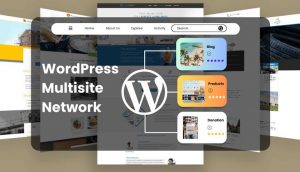
WordPress Multisite allows multiple websites to operate within a single WordPress installation. Instead of managing every website completely separately, administrators can manage an entire network from one central dashboard.
For organizations with multiple related websites, this can reduce administrative work and create a more consistent management experience.
In this guide, we explain what WordPress Multisite is, how it works, its advantages and disadvantages, and when businesses should consider using it.
What Is WordPress Multisite?
WordPress Multisite is a feature that allows you to create and manage multiple WordPress websites from one WordPress installation.
Instead of installing WordPress separately for every website, an administrator can create a network of websites.
For example, a company could manage:
- brand.com
- uk.brand.com
- usa.brand.com
- india.brand.com
from the same WordPress network.
Each website can have its own content and users while still being part of the same overall network.
The network administrator has centralized control over important aspects of the installation.
How Does WordPress Multisite Work?
A Multisite network has a main website and additional sites connected to the same WordPress installation.
The network administrator can manage:
- Websites
- Users
- Themes
- Plugins
- Network settings
Individual site administrators can then manage the content and settings available to their particular website.
This creates a hierarchy between network administration and individual website administration.
For organizations with multiple related websites, this centralized structure can be extremely useful.
Subdomain vs Subdirectory Networks
WordPress Multisite generally supports two common URL structures.
Subdomain Structure
Websites can use URLs such as:
store.example.com
blog.example.com
uk.example.com
This structure can be useful when each website represents a separate division, region, or service.
Subdirectory Structure
Websites can also use:
example.com/store/
example.com/blog/
example.com/uk/
This approach places individual websites inside directories of the main domain.
The appropriate structure depends on the organization’s requirements, branding, SEO strategy, and technical setup.
Why Businesses Use WordPress Multisite
There are several situations where Multisite can simplify website management.
1. Multiple Business Locations
Imagine a company operating in 20 cities.
Each location may need its own website containing:
- Local address
- Contact information
- Services
- Team members
- Local offers
- Location-specific content
Instead of managing 20 independent WordPress installations, the organization could use a Multisite network.
Each location can have its own website while the central team maintains the network.
2. International Websites
Global businesses may operate different websites for different countries.
For example:
- example.com
- example.co.uk
- example.ae
- example.in
Each region may require different:
- Content
- Currency
- Contact information
- Services
- Marketing campaigns
- Legal information
A Multisite architecture can help central teams manage related websites more efficiently.
3. Educational Institutions
Universities, schools, and educational organizations can benefit from Multisite.
A university might have separate websites for:
- Main university
- Engineering department
- Business school
- Medical department
- Student portal
- Research center
- Alumni organization
Each department can have its own website while the central IT team manages the overall network.
4. Franchise Businesses
Franchise organizations often need individual websites for different locations.
A franchise network may contain dozens or hundreds of websites.
Multisite can provide centralized management while allowing individual locations to maintain their own content.
5. News and Publishing Networks
Publishing organizations may operate multiple magazines, publications, or niche websites.
For example, one organization could operate separate sites for:
- Technology
- Business
- Sports
- Lifestyle
- Education
A shared WordPress network can simplify infrastructure and administration.
Centralized Plugin Management
One major advantage of Multisite is centralized plugin management.
A network administrator can install plugins for the network and control whether they are available to individual sites.
This can help maintain consistency across multiple websites.
For example, a company may want every website to use the same:
- SEO system
- Analytics tools
- Security tools
- Forms
- Performance tools
Instead of installing and configuring them individually, centralized management can reduce repetitive work.
However, administrators should carefully evaluate plugins before activating them across a network.
A poorly coded plugin can affect multiple websites simultaneously.
Centralized Theme Management
Themes can also be managed at the network level.
The organization can provide approved themes for individual websites.
This can be particularly useful when maintaining brand consistency.
For example, a company may allow every regional website to use the same corporate design while still allowing individual sites to customize:
- Logo
- Colors
- Content
- Images
- Contact information
This creates a consistent brand identity across the organization.
User Management
Multisite also provides centralized user management.
A user can potentially have access to multiple websites within the network.
Different roles can be assigned depending on their responsibilities.
For example:
Network Administrator
Manages the entire WordPress network.
Site Administrator
Manages an individual website.
Editor
Manages website content.
Author
Creates and manages assigned content.
This role-based approach can make large organizations easier to manage.
WordPress Multisite and SEO
A common concern is whether WordPress Multisite is good for SEO.
The answer is that Multisite itself does not automatically determine search engine performance.
SEO depends on how the network is structured and managed.
Each website should have:
- Unique content
- Appropriate metadata
- Proper URLs
- Correct canonical settings
- XML sitemaps
- Good internal linking
- Mobile-friendly design
- Strong technical SEO
One important consideration is avoiding unnecessary duplication.
If every website contains exactly the same content, it may be difficult to establish clear search visibility.
Each regional or business website should provide genuinely useful content for its target audience.
WordPress Multisite and WooCommerce
WooCommerce can be used in Multisite environments, but e-commerce networks require careful planning.
A company may want separate stores for:
- Different countries
- Different brands
- Different product categories
- Different business units
However, each store may have unique requirements involving:
- Currency
- Tax
- Shipping
- Payment gateways
- Inventory
- Customer accounts
- Orders
Therefore, WooCommerce Multisite should be designed according to the business’s operational requirements rather than implemented simply because multiple websites are needed.
Advantages of WordPress Multisite
Centralized Management
Administrators can manage multiple websites from a single WordPress installation.
Consistent Branding
Shared themes and design systems can help maintain brand consistency.
Easier Updates
Common plugins and themes can be managed centrally.
Reduced Repetition
Teams don’t need to configure every WordPress installation from scratch.
Scalable Network Structure
Organizations can add new websites as they expand.
Centralized User Administration
User access can be managed across multiple websites.
Disadvantages of WordPress Multisite
Multisite is powerful, but it isn’t appropriate for every organization.
1. Shared Infrastructure
The websites operate within the same WordPress installation and infrastructure.
If there is a major server or core-level issue, multiple websites may be affected.
2. Plugin Compatibility
Not every plugin is designed with Multisite environments in mind.
Before installing a plugin, administrators should verify its compatibility.
3. More Complex Troubleshooting
Troubleshooting a Multisite network can be more complicated than troubleshooting a single WordPress website.
A plugin conflict might affect one website or potentially several sites.
4. Migration Can Be More Complicated
Moving individual websites out of a Multisite network may require additional technical work.
The network architecture should therefore be planned carefully from the beginning.
5. Higher Administrative Responsibility
Centralized management is convenient, but it also means network administrators need to maintain the entire environment carefully.
WordPress Multisite vs Separate WordPress Installations
Which is better?
It depends on the relationship between the websites.
| Requirement | Multisite | Separate Installations |
|---|---|---|
| Centralized Management | Excellent | Limited |
| Shared Themes | Excellent | Requires separate setup |
| Shared Plugins | Excellent | Separate installation |
| Independent Infrastructure | Limited | Excellent |
| Website Isolation | Lower | Higher |
| Centralized Users | Excellent | More difficult |
| Individual Customization | Moderate to High | Very High |
| Maintenance | Centralized | Separate |
| Migration Flexibility | More complex | Easier |
| Best For | Related websites | Independent businesses |
If all websites belong to the same organization and share infrastructure requirements, Multisite can be a strong choice.
If websites are completely independent, separate WordPress installations may be safer and more flexible.
When Should You Avoid WordPress Multisite?
Multisite may not be the best solution when every website has completely different requirements.
For example, suppose a company owns five unrelated businesses:
- Restaurant
- Real estate company
- Law firm
- E-commerce brand
- Educational platform
Each may require completely different plugins, themes, server resources, and development workflows.
In such a situation, independent WordPress installations may provide better isolation and flexibility.
Multisite should be selected because there is a logical reason to share infrastructure—not simply because multiple websites exist.
Planning a WordPress Multisite Network
Before creating a network, define the architecture.
Consider:
Website Structure
Will websites use subdomains or subdirectories?
Domain Strategy
Will every site use the same primary domain structure or separate domains?
Hosting
Can the hosting environment support the expected number of websites and traffic?
Database
How large could the network become?
Backups
Can you restore an individual website or the entire network when necessary?
Security
How will administrator access and plugin management be controlled?
User Roles
Who should access each website?
Branding
Which elements should be shared and which should be customizable?
Development Workflow
How will updates be tested before being deployed across the network?
These decisions should be made before the network becomes large.
Best Practices for WordPress Multisite
Keep the Network Organized
Use clear site names, domains, administrators, and ownership structures.
Limit Administrator Access
Only trusted users should have high-level network privileges.
Test Plugins
Never activate a new plugin across a large network without testing it.
Maintain Regular Backups
Network-wide backups are essential.
Monitor Server Resources
As more websites are added, server requirements can increase.
Monitor:
- CPU
- RAM
- Storage
- Database size
- Traffic
- PHP workers
Keep WordPress Updated
Core, plugins, and themes should be maintained carefully.
Document the Architecture
Maintain documentation explaining:
- Network structure
- Domains
- Plugins
- Themes
- User roles
- Server configuration
- Backup process
Good documentation can make future maintenance significantly easier.
Is WordPress Multisite Right for Your Business?
The best way to decide is to look at the relationship between your websites.
If your websites:
- Belong to one organization
- Share infrastructure
- Need centralized management
- Use common themes
- Require shared plugins
- Need centralized user management
then WordPress Multisite could be an excellent solution.
If each website operates independently and requires completely different technology, separate installations may be more appropriate.
Final Thoughts
WordPress Multisite can be a powerful solution for organizations that need to manage multiple related websites from one centralized platform.
It can reduce repetitive administration, simplify theme and plugin management, improve consistency, and provide a scalable structure for organizations with multiple locations, departments, brands, or regions.
However, Multisite is not simply a feature that should be enabled whenever a company owns multiple websites.
The architecture should be carefully planned around business requirements, infrastructure, security, user management, SEO, and future growth.
At Mag Cloud Solutions, we help businesses plan and develop WordPress websites, WordPress Multisite networks, Elementor websites, WooCommerce platforms, custom functionality, API integrations, and ongoing maintenance solutions.
If your organization manages multiple websites and you are considering a centralized WordPress solution, our team can help you evaluate whether Multisite is the right architecture for your business.
Contact Mag Cloud Solutions
📞 +91 9536899899
📧 sales@magcloudsolutions.com
Build a scalable WordPress ecosystem that makes managing multiple websites simpler, more consistent, and easier to maintain.