Retail businesses manage many repetitive tasks every day. Employees may need to update inventory, process orders, create invoices, check product availability, respond to customer questions, prepare reports, and manage deliveries.
When these activities are performed manually, they can consume significant time and increase the possibility of human errors.
Retail automation uses software, artificial intelligence, connected devices, and integrated business systems to automate repetitive processes.
The goal of automation is not simply to reduce manual work. It is also to help retailers improve accuracy, speed, consistency, and customer service.
From automated inventory updates to AI-powered customer support, retail automation is becoming an important part of digital transformation.
What Is Retail Automation?
Retail automation means using technology to perform tasks that would traditionally require manual employee involvement.
Automation can be used across different areas of a retail business, including:
- Inventory management
- Order processing
- Customer support
- Marketing
- Payments
- Reporting
- Product management
- Warehouse operations
- Employee scheduling
- Delivery tracking
The level of automation can vary depending on the size and requirements of the business.
A small retailer may automate basic inventory alerts, while a large retailer may connect multiple systems and automate complex workflows.
1. Automated Inventory Updates
Inventory management is one of the most common areas for retail automation.
When a product is sold through a POS system or ecommerce website, inventory software can automatically update the available quantity.
This reduces the need for employees to manually change stock records after every transaction.
Automated low-stock alerts can also notify employees when products need to be reordered.
2. Automated Order Processing
Online retailers receive orders throughout the day.
Automation can help process these orders by sending information from the ecommerce platform to inventory, warehouse, payment, and shipping systems.
For example, once an order is successfully placed, the system may automatically:
- Confirm the order.
- Update inventory.
- Generate order information.
- Send the order to the fulfillment team.
- Create shipping information.
- Send confirmation to the customer.
Connecting these steps can reduce repetitive administrative work.
3. Automated Customer Support
Customer support is another area where automation can be useful.
Chatbots and AI-powered assistants can answer common questions about:
- Order status
- Delivery information
- Product availability
- Return policies
- Store hours
- Basic product information
Automation can provide immediate responses to common questions.
However, complex issues may still require human support. A well-designed system should make it easy for customers to move from automated assistance to a human representative when necessary.
4. Automated Marketing
Retailers can automate many marketing activities.
For example, an ecommerce platform can automatically send emails based on customer actions.
Common examples include:
- Welcome emails
- Cart reminders
- Order confirmations
- Product recommendations
- Review requests
- Promotional messages
- Loyalty updates
Automation allows marketing teams to create workflows that operate continuously rather than requiring employees to manually send every message.
Businesses should still manage customer communication responsibly and follow applicable consent and privacy requirements.
5. Automated Product Recommendations
Retail websites can use customer and product data to generate recommendations.
For example, when a customer views a particular product, the website may display related products, accessories, or alternatives.
AI and recommendation systems can analyze product relationships and customer interactions to make these suggestions more relevant.
This can also make product discovery easier for customers browsing large ecommerce catalogs.
6. Automated Pricing and Promotions
Technology can help retailers manage product prices and promotional campaigns.
Businesses can configure systems to apply predefined discounts, promotional codes, customer-specific offers, or time-based campaigns.
In some cases, advanced systems can also use market and demand information to support pricing decisions.
However, retailers should establish clear rules and review automated pricing systems to ensure that prices and promotions remain accurate and appropriate.
7. Automated Payment Processing
Digital payment systems can automate large parts of the payment process.
When a customer completes an online purchase, payment information can be securely processed through an integrated payment provider.
The system can then update the order status based on the payment result.
This reduces the need for employees to manually verify every transaction.
Payment automation should always be supported by appropriate security controls and monitoring.
8. Automated Reporting
Retail businesses generate large amounts of operational data.
Employees often need reports covering sales, inventory, orders, customers, products, and revenue.
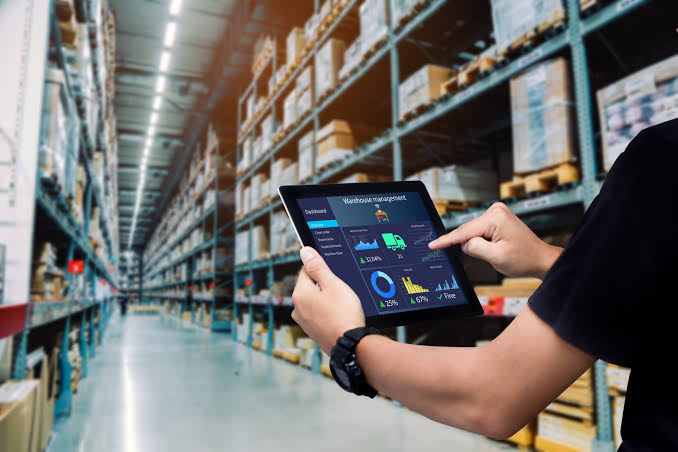
Automated reporting systems can collect this information and present it through dashboards or scheduled reports.
Managers can then review business information without manually collecting data from multiple spreadsheets.
Real-time dashboards can also make it easier to identify operational issues quickly.
9. Warehouse Automation
Large retailers may use automation in warehouses to improve order fulfillment.
Technology can support tasks such as:
- Inventory scanning
- Product tracking
- Order picking
- Sorting
- Packing
- Shipment processing
Robotics and automated equipment can also be used in some warehouse environments.
The appropriate level of automation depends on order volume, warehouse design, investment capacity, and business requirements.
10. Automated Delivery Tracking
Once an order leaves a warehouse, customers often want to know where it is.
Integrated delivery systems can automatically update customers about shipping progress.
Notifications can be sent when an order is shipped, reaches a distribution location, or becomes available for delivery.
This reduces the need for customers to contact support for basic tracking information.
11. AI-Powered Retail Automation
Artificial intelligence is expanding the capabilities of retail automation.
AI can support areas such as:
- Demand forecasting
- Customer service
- Product recommendations
- Inventory planning
- Fraud detection
- Marketing personalization
- Product search
- Business analytics
Unlike basic rule-based automation, AI systems can analyze large datasets and identify patterns that may support more flexible decision-making.
Businesses should still maintain appropriate human oversight for important decisions.
12. Employee Scheduling
Retail businesses need employees available at the right times.
Scheduling software can help managers organize shifts based on store requirements, employee availability, and expected workload.
Automation can make scheduling easier to manage, particularly for businesses with multiple locations or large teams.
Employees can also receive schedules and updates through digital platforms.
13. Connecting Retail Systems
Automation becomes more powerful when different business systems can communicate with each other.
For example, a retailer may connect:
Ecommerce → Inventory → POS → Payment → Warehouse → Shipping → Customer Support
When these systems share information, an action in one system can automatically trigger updates in another.
This reduces duplicate data entry and creates a more connected retail operation.
Benefits of Retail Automation
Retail automation can provide several benefits.
Saves Time
Employees spend less time performing repetitive administrative tasks.
Reduces Manual Errors
Automated processes can reduce errors caused by repeated data entry and manual calculations.
Improves Customer Experience
Customers can receive faster order updates, support responses, and payment confirmations.
Provides Better Visibility
Connected systems can give managers a clearer view of sales, inventory, orders, and business performance.
Supports Business Growth
Automation allows businesses to handle increasing transaction volumes without increasing every manual process at the same rate.
Challenges of Retail Automation
Automation also requires careful planning.
Businesses may need to invest in software, integrations, hardware, employee training, and security.
Poorly designed automation can create new problems. For example, if incorrect inventory information enters an automated system, the system may continue distributing incorrect information across connected platforms.
Retailers should therefore automate reliable processes and regularly monitor system performance.
The Future of Retail Automation
Retail automation is expected to become increasingly connected with artificial intelligence, robotics, IoT devices, cloud platforms, and real-time analytics.
Future systems may automatically identify inventory problems, recommend purchasing actions, answer customer questions, optimize workflows, and provide business insights.
The most effective approach will combine automation with human decision-making.
Technology can handle repetitive processes, while employees can focus on customer relationships, creative work, problem-solving, and strategic decisions.
Conclusion
Retail automation is changing how businesses manage everyday operations.
From inventory updates and order processing to customer support, marketing, reporting, payments, and warehouse management, technology can reduce repetitive manual work and improve operational efficiency.
Successful automation does not mean automating everything. Retailers should identify repetitive processes where technology can provide clear value and then gradually connect those systems.
As retail technology continues to develop, automation will become an increasingly important part of creating efficient, scalable, and customer-focused retail businesses.