Businesses use multiple applications to manage their daily operations. A company might receive leads through its website, store customer information in a CRM, send emails through a marketing platform, manage orders through an ecommerce system, and communicate internally through messaging applications.
When these tools operate separately, employees often have to move information manually from one system to another. This process consumes time, increases the possibility of errors, and makes it difficult to scale operations efficiently.
This is where workflow automation becomes useful.
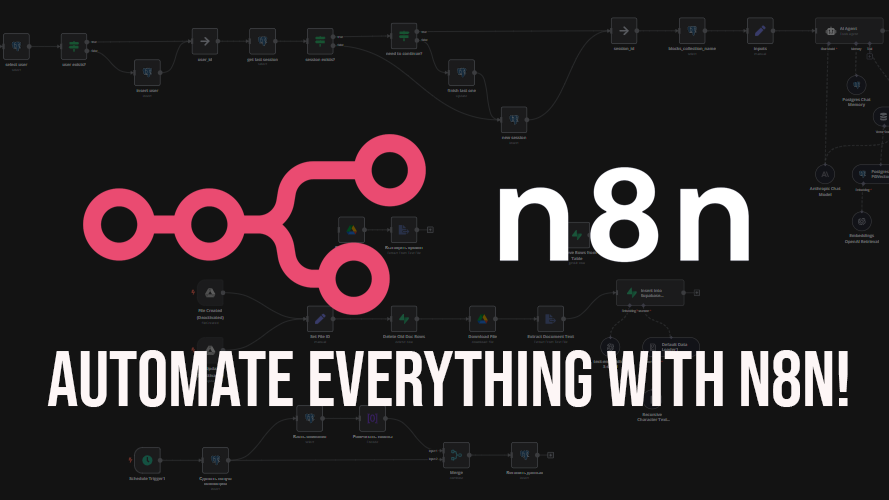
n8n is a workflow automation platform that allows businesses to connect applications, APIs, databases, and AI services through visual workflows and configurable logic.
In this guide, we explain what n8n is, how it works, and how businesses can use it to automate everyday processes.
1. What Is n8n?
n8n is a workflow automation platform designed to connect different software applications and automate tasks between them.
A workflow consists of connected steps. Each step performs a specific action, such as receiving information, checking a condition, sending a request to an API, updating a database, or generating an AI response.
For example, when a visitor submits a contact form on a website, an n8n workflow can:
- Receive the form submission.
- Validate the submitted information.
- Add the lead to a CRM.
- Send a confirmation email.
- Notify the sales team.
- Record the result for future reference.
Instead of asking an employee to perform each step manually, the workflow coordinates these actions automatically.
n8n supports visual workflow building while also allowing developers to use JavaScript, expressions, APIs, and custom logic when more control is required.
2. How Does n8n Automation Work?
Most n8n workflows contain three basic elements: triggers, processing steps, and actions.
Triggers
A trigger determines when a workflow should start.
Common examples include a webhook receiving a request, a scheduled workflow running at a particular time, or a supported application event.
Processing steps
After the workflow starts, it can transform information, filter records, compare values, check conditions, or prepare data for another application.
For example, a workflow can check whether an inquiry includes a valid email address before creating a CRM record.
Actions
Actions are the operations performed by the workflow. These might include sending an email, updating an order, creating a database record, or calling an external API.
Workflows can include conditional branches, retries, and error-handling steps. These features are important because business automation needs to handle unexpected situations instead of assuming every operation will succeed.
3. Practical Business Uses of n8n
Lead generation and CRM automation
When a customer submits an inquiry, n8n can transfer the information into a CRM, assign the lead to a team member, and send a notification.
Businesses can also apply conditions to route inquiries according to service requirements or geographic location.
Ecommerce automation
An online store can use workflows to process selected order events, notify fulfillment teams, synchronize data with external services, or prepare reports.
For WooCommerce and Shopify businesses, automation can reduce repetitive administrative work. The exact capabilities depend on the available integrations, API permissions, and store configuration.
Email and document workflows
n8n can connect email services with document storage and other applications. For example, an incoming email containing an invoice may trigger a workflow that saves the attachment and notifies the accounts team.
Documents that require financial approval or legal review should still follow appropriate human verification procedures.
Reporting and data synchronization
Businesses can schedule workflows to collect information from supported applications, prepare summaries, and send reports to authorized team members.
Automation can also help keep selected customer or product records synchronized between systems, provided conflicts and failed updates are handled correctly.
4. How AI Works With n8n
One of the useful features of workflow automation is the ability to connect AI services to business processes.
An n8n workflow can send text to an AI model for summarization, classification, extraction, or drafting a response.
For example, a support workflow could receive an email, identify its general topic, summarize the customer’s issue, and send the summary to a support representative.
Another workflow might categorize sales inquiries by service type and prepare a draft response using approved company information.
However, an AI model may produce inaccurate or incomplete results. Important decisions should therefore include validation, permissions, and human review.
Businesses should also avoid sending confidential customer information to third-party AI services without reviewing applicable privacy requirements and service terms.
5. n8n Cloud vs. Self-Hosting
Businesses can choose an appropriate deployment model based on their technical requirements.
n8n Cloud provides a hosted option that reduces the need to manage the underlying server infrastructure.
Self-hosting allows an organization to run n8n on infrastructure it controls. This can provide greater operational control, but it also creates responsibilities for updates, backups, monitoring, access security, and server maintenance.
Self-hosting does not automatically make every workflow secure or eliminate third-party data exposure. Security depends on the complete system, including connected applications and external APIs.
Before selecting a deployment option, businesses should evaluate their technical resources, expected workload, security needs, and total operating costs.
6. Is n8n Better Than Manual Work?
n8n can be useful when tasks follow repeatable rules and involve multiple systems.
However, not every process should be automated. Tasks involving complex judgment, sensitive decisions, unusual customer situations, or unclear requirements may need substantial human involvement.
A good starting point is to identify processes that are repetitive, time-consuming, and easy to measure.
Businesses can then test a small workflow and compare the time, accuracy, and maintenance effort against the original process.
7. Best Practices for Successful Automation
To build dependable workflows:
- Map the existing process before automating it.
- Use secure credential management.
- Validate incoming data before processing it.
- Add error handling and failure notifications.
- Prevent duplicate actions where possible.
- Monitor API limits and external service availability.
- Document workflows so they can be maintained.
- Test with realistic data before production deployment.
Automation should make a business process more reliable, not simply move existing problems into software.
Conclusion
n8n provides businesses with a flexible way to connect applications, automate repetitive processes, and introduce AI capabilities into everyday operations.
From lead management and ecommerce to reporting and customer support, well-designed workflows can save time and improve consistency. Success depends on choosing suitable use cases, protecting information, testing thoroughly, and maintaining the workflows over time.
Mag Cloud Solutions helps businesses explore website development, API integrations, and automation opportunities that fit their operational needs.
Looking to automate your business processes?
Contact Mag Cloud Solutions to discuss your requirements.
Mag Cloud Solutions
Phone: +91 9536899899
Email: sales@magcloudsolutions.com
Website: https://magcloudsolutions.com/