Creating a website involves more than designing pages and writing code. Businesses also need a convenient way to publish articles, update service information, manage images, and maintain their online presence.
Without an appropriate content management solution, even small changes may require technical assistance.
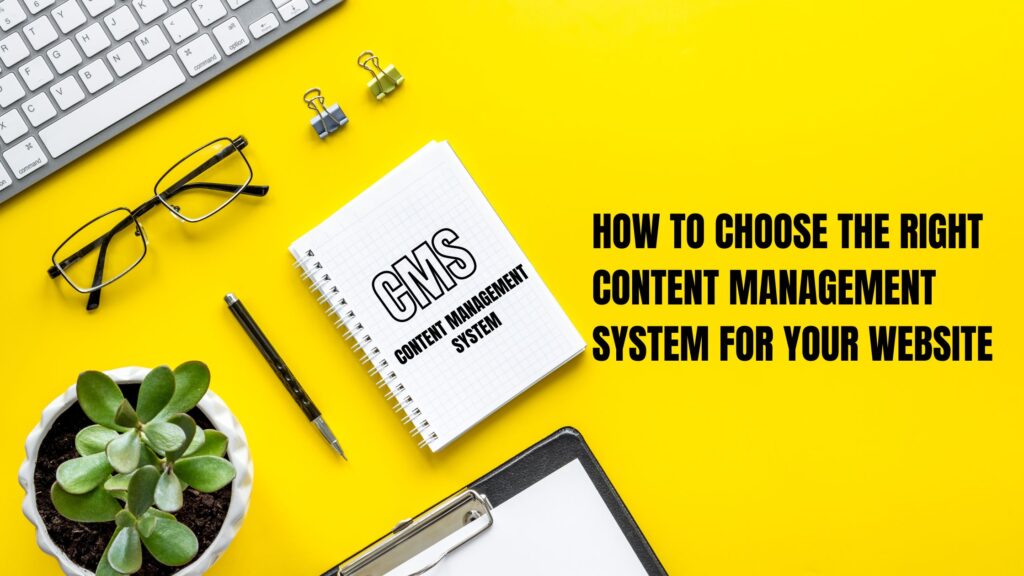
A content management system, commonly known as a CMS, helps simplify these tasks by providing an interface for creating, editing, organizing, and publishing digital content.
CMS platforms are used by businesses of different sizes, from small service providers to large ecommerce companies and international publishers.
In this guide, we explain what a CMS is, how it works, the different types available, and how to choose the right platform for your business.
1. What Is a Content Management System?
A content management system is software that allows users to manage digital content through an organized interface.
Instead of manually editing website files for every content change, authorized users can log in to an administrative dashboard and update supported content fields.
For example, a business owner can publish a blog post, replace a banner image, update a service description, or add a new page without writing HTML for each change.
Most traditional CMS platforms separate content management from the way content is displayed, although the exact architecture differs between platforms.
A typical CMS may provide:
- Page and article management.
- Media libraries.
- User accounts and permissions.
- Content categories and tags.
- Publishing and scheduling features.
- Themes or design customization.
- Extensions and integrations.
- Search engine optimization settings.
The features available depend on the platform and its configuration.
2. How Does a CMS Work?
A traditional CMS commonly includes three main components.
Content management interface
This is the administrative dashboard where users create, edit, and organize content.
For example, an editor can write a blog article, add a featured image, and prepare the article for publication.
Content storage
The system stores content and related information in a database or other storage system.
Depending on the platform, this may include page text, product information, categories, settings, and user details.
Presentation layer
The presentation layer displays content to visitors through website templates, themes, or frontend components.
When a visitor opens a page, the platform retrieves the required information and renders it for display.
Modern headless CMS architectures can separate content management from the frontend entirely, allowing content to be delivered to websites, mobile applications, or other digital channels through APIs.
3. Popular Types of CMS Platforms
Different CMS platforms serve different business needs.
WordPress
WordPress is an open-source CMS widely used for business websites, blogs, content-driven platforms, and ecommerce stores through WooCommerce.
Its extensive plugin ecosystem and customization options make it suitable for businesses that want control over their content and website functionality.
It can be managed through the standard WordPress dashboard, extended with page builders, or customized through development.
Shopify
Shopify is a hosted commerce platform that includes content management alongside ecommerce functionality.
Businesses can manage products, collections, pages, orders, and store settings from one environment.
It is particularly useful for companies that want an integrated platform for selling products online without managing their own application server infrastructure.
Shopify offers customization options, but some features depend on the selected plan, theme, and available integrations.
Headless CMS
A headless CMS manages content separately from the website’s frontend.
Content can be delivered through APIs to different applications, allowing developers to build custom experiences using frameworks such as React or other frontend technologies.
This approach can be useful for businesses that publish content across multiple channels or require specialized frontend control.
However, headless solutions may involve additional development, hosting, deployment, and maintenance complexity.
Other CMS platforms
Depending on the use case, businesses may also consider platforms such as Drupal or specialized enterprise content management systems.
The best option depends on technical requirements, editorial workflows, security policies, and available resources.
4. Why Do Businesses Need a CMS?
A CMS helps businesses manage content more efficiently.
Faster content updates
Authorized team members can update supported website content without requesting a developer for every routine change.
This is useful when prices, service details, company announcements, or product information change regularly.
Better collaboration
User roles and publishing workflows can help teams divide responsibilities between writers, editors, administrators, and developers.
Businesses can establish approval procedures before content becomes publicly available.
Consistent branding
Reusable templates and design systems help maintain consistency across pages.
For example, service pages can follow a common layout while displaying different information.
Easier content growth
A CMS can simplify the process of publishing new articles, landing pages, and resources as a business expands.
A well-organized content structure also supports internal linking and navigation.
5. CMS vs. Custom-Coded Websites
A CMS is not always necessary for every website.
A custom-coded website can be appropriate when the content is relatively static, the interface is highly specialized, or the project has specific performance and architectural requirements.
A CMS may be more practical when nontechnical users need to publish content regularly.
The choice should consider the full project lifecycle, not just the initial development cost.
For example, a small business that frequently updates services and articles may benefit from WordPress. A specialized web application with complex transactions and workflows may require a custom backend, potentially alongside a CMS for marketing content.
Some projects combine both approaches.
6. How to Choose the Right CMS
Before selecting a platform, define the website’s purpose and expected functionality.
Ask the following questions:
What type of content will you publish? A blog, business website, product catalog, and ecommerce store may require different features.
Who will manage the website? Consider whether content editors need a simple interface or whether the business has a dedicated technical team.
What integrations are required? Identify payment gateways, CRM systems, email marketing tools, inventory platforms, and other services.
How much customization is needed? Evaluate whether existing themes and extensions are sufficient or whether custom development will be required.
What is the maintenance budget? Include hosting, subscriptions, extensions, security, backups, and ongoing development.
Can the platform scale with the business? Consider expected content growth, traffic, integrations, and operational complexity.
Answering these questions helps narrow the options before development begins.
7. CMS Security and Maintenance
A CMS must be maintained to remain reliable and secure.
Businesses should update the platform and its extensions, use strong authentication, assign appropriate user permissions, and maintain tested backups.
They should also monitor access logs, review third-party integrations, and remove unused components.
For hosted platforms, the provider manages much of the underlying infrastructure, but store owners still need to secure their accounts, review permissions, and manage their own content and integrations.
For self-hosted CMS platforms, server configuration and application maintenance may require additional technical expertise.
8. SEO and CMS Platforms
A CMS can make SEO tasks easier by providing access to page titles, metadata, URLs, headings, and internal links.
However, rankings depend on many factors, including content quality, search intent, technical accessibility, website performance, and competition.
Businesses should review their sitemap, indexing settings, canonical URLs, structured data where appropriate, and mobile usability.
They should also ensure that important pages are accessible to search engines and that unnecessary duplicate pages do not create confusion.
Conclusion
A content management system helps businesses publish, organize, and maintain digital content without manually managing every website file.
WordPress, Shopify, and headless CMS platforms offer different advantages. Choosing the right solution requires understanding the business’s content needs, ecommerce requirements, technical resources, and long-term goals.
A suitable CMS can improve publishing efficiency, support growth, and make website management easier when configured and maintained correctly.
Mag Cloud Solutions helps businesses evaluate and develop website solutions using appropriate CMS platforms and custom development where required.
Need help choosing a CMS for your business?
Contact Mag Cloud Solutions to discuss your website requirements.
Mag Cloud Solutions
Phone: +91 9536899899
Email: sales@magcloudsolutions.com
Website: https://magcloudsolutions.com/